Welcome to this how-to guide on installing and editing Motion Graphics templates (MOGRTs) in Premiere Pro 2025 (or later). Feel free to watch the short explainer video below, or read the post for more detailed information. Updated for Premiere Pro 2025:This guide now reflects the new Graphics Templates panel, the relocation of MOGRT editing controls to the Properties panel, and updated notes on media replacement behaviour. Quick Links What are Motion Graphics Templates (MOGRTs)? Motion Graphics Templates, or MOGRTs, are installable project files that enable quick and easy, yet professional video and text effects. You can use MOGRTs to create instant video titles, lower thirds, transitions, and overlay VFX effects. What’s more, the beauty of Motion Graphics Templates is that you can create multiple style variations from a single file. What Software is Needed to Use MOGRT Files? MOGRT files are native to Adobe Premiere Pro, so a Creative Cloud… read more

premiere pro
Everything you need to know about Motion Graphics templates for Premiere Pro Ever wanted to add awesome animated graphics into your Premiere Pro video sequence, fast and easy? Well now you can, with Motion Graphics templates. Watch our short video introduction (below) to the exciting new world of Motion Graphics templates for Premiere Pro and scroll down for our comprehensive FAQ guide to get yourself up to speed. Looking for the 2025 Guide?For the latest step-by-step instructions on how to install and edit MOGRTs using the new Properties panel, read our Ultimate MOGRT Video Guide here. WHAT ARE MOTION GRAPHICS TEMPLATES? You may have been hearing a lot about Motion Graphics templates for Premiere Pro, but what exactly is a Motion Graphics template? Motion Graphics templates (.mogrt) are files that include text animations and video effects which you can edit and then add to your video sequences. They can be… read more
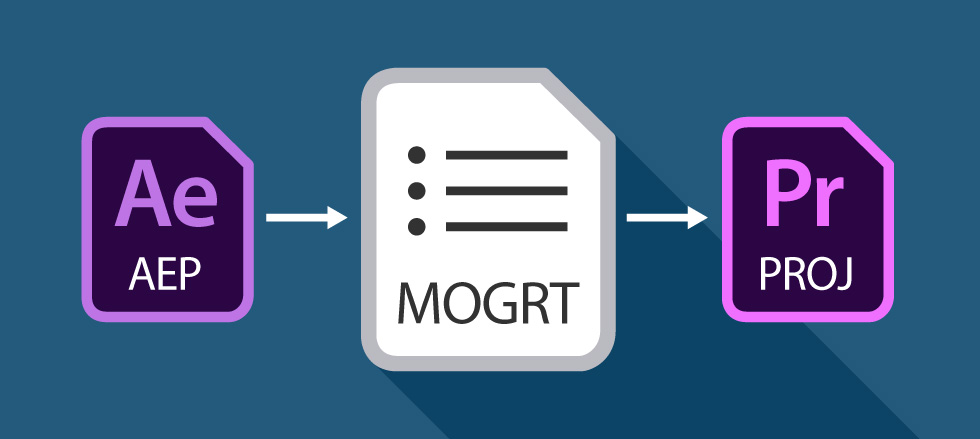
Editable animations inside Premiere Pro – get excited about Motion Graphics Templates! Have you heard of Motion Graphics Templates (MOGRTS)? Well, if you’re a video editor then things have just got very exciting inside Premiere Pro! Finally you can edit animations, created in Adobe After Effects, directly inside Premiere Pro – and you don’t even need to have After Effects installed on your machine! Perhaps you’re a devoted Premiere user and After Effects seems a little daunting, even with the profusion of easy-to-edit templates out there. Or, you’re simply fed up of switching between the two applications when creating your graphics-laden video productions. This is where Motion Graphics Templates (.mogrt) come into play. Updated for 2025:The workflow for MOGRTs has evolved. For a full, up-to-date guide on installing and editing templates in the latest version of Premiere Pro, visit our Ultimate MOGRT Guide. What are the benefits of Motion Graphics… read more
More Posts
- PowerPoint Transitions: Every Effect Explained
- Canva Templates: The Ultimate Guide to Designing Faster and Smarter
- The 5 Best CapCut Alternatives in 2026
- Why Choose Adobe After Effects?
- The Ultimate Guide to Faceless YouTube Channels in 2026
Adobe Stock Search
Please use the search form below to find footage and video templates directly from Adobe Stock.
Great Value Packs

Sponsored Resources