In today’s fast-paced digital world, creating eye-catching visuals is no longer optional – it’s essential. Whether you’re a business owner, content creator, marketer, or student, design plays a crucial role in how your message is perceived.
This is where Canva templates come in, offering a powerful shortcut to professional-quality design without the steep learning curve.
What Are Canva Templates?
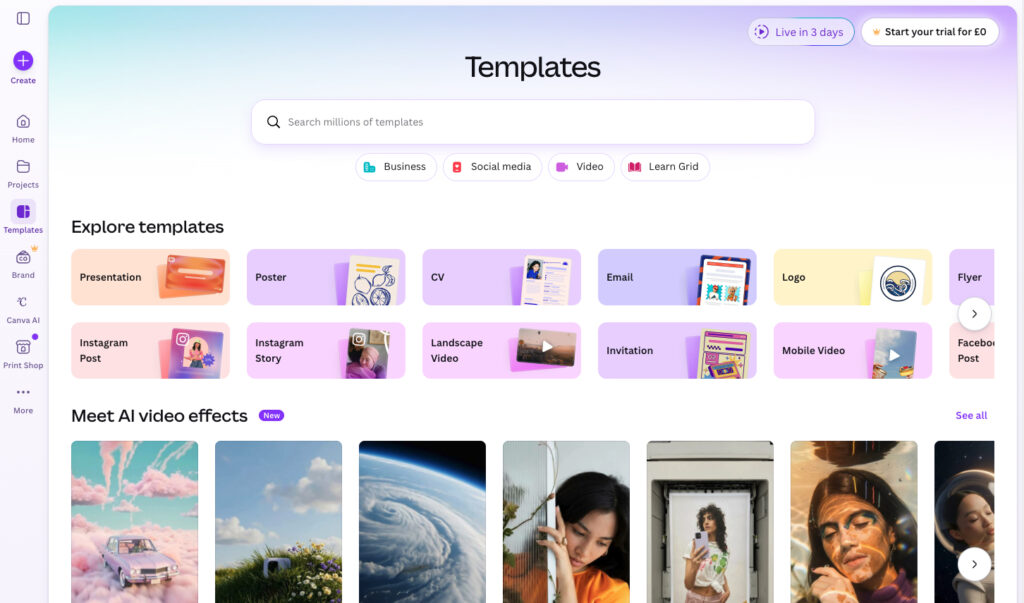
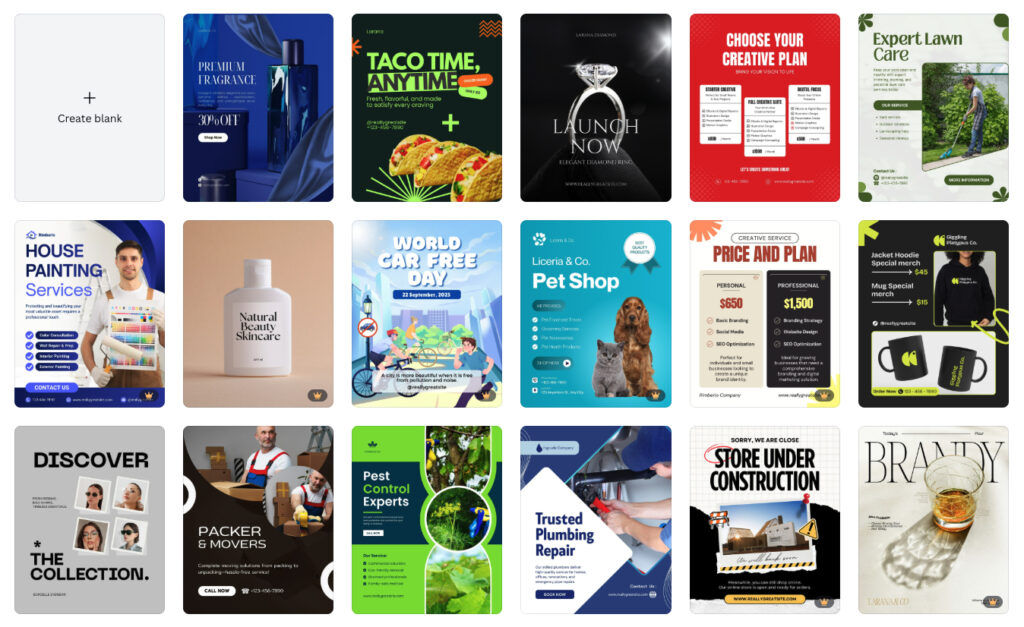
Canva templates are pre-designed layouts that you can customize for your specific needs. They cover a wide range of formats, including:
- Social media posts (Instagram, Facebook, LinkedIn)
- Presentations
- Flyers and posters
- Resumes
- Marketing materials
- Videos and animations
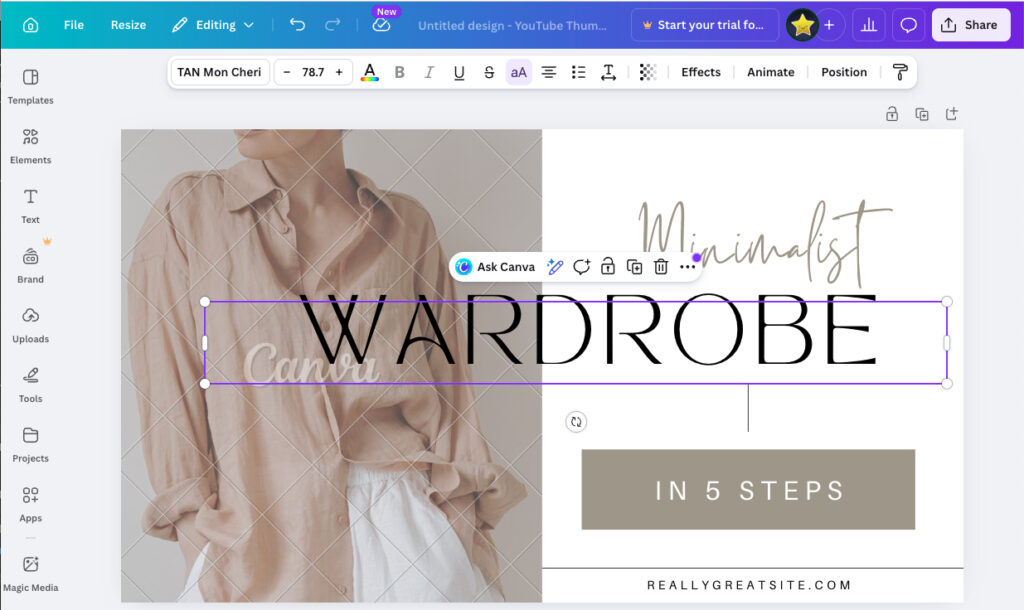
Instead of starting from scratch, you simply select a template and modify elements like text, colors, images, and fonts.
Why Use Canva Templates?
1. Save Time
Designing from scratch can take hours. Canva templates reduce that time to minutes, allowing you to focus on your content rather than layout.
2. Professional Quality
Templates are created by experienced designers, ensuring your visuals look polished and modern – even if you have no design background.
3. Consistency Across Branding
Using templates helps maintain a consistent look and feel across all your content, which is essential for brand recognition.
4. Easy Customization
With drag-and-drop functionality, you can quickly adapt any template to match your brand identity.
5. Accessibility for Everyone
No design skills? No problem. Canva templates are beginner-friendly and intuitive.
Types of Canva Templates You Should Know
Social Media Templates
Perfect for maintaining a consistent posting schedule. These include Instagram posts, stories, reels covers, and more.
Business Templates
From pitch decks to invoices, Canva offers templates tailored for professional use.
Educational Templates
Teachers and students can use templates for presentations, worksheets, and reports.
Marketing Templates
Flyers, email headers, ads, and banners designed to boost engagement and conversions.
How to Choose the Right Canva Template
Selecting the right template can make all the difference. Here are a few tips:
- Define your goal: Are you promoting a product, sharing information, or building your brand?
- Know your audience: Choose styles and colors that resonate with your target audience.
- Stick to your brand: Customize templates to align with your brand colors, fonts, and tone.
- Keep it simple: Avoid clutter – clear designs are more effective.
Tips for Customizing Canva Templates
- Replace stock images with your own photos for authenticity
- Adjust colors to match your branding
- Use consistent fonts across designs
- Keep text concise and readable
- Leverage Canva’s elements like icons, shapes, and animations
- Collect free backgrounds, photos and graphics for future use
Are Canva Templates Good for SEO?
Yes – especially when used for content marketing. While templates themselves don’t directly impact SEO, the visuals you create can:
- Increase engagement on blog posts and social media
- Improve shareability
- Enhance user experience
- Support branded search visibility
Optimized visuals can also rank in image search when paired with proper alt text and descriptions.
Free vs Paid Canva Templates
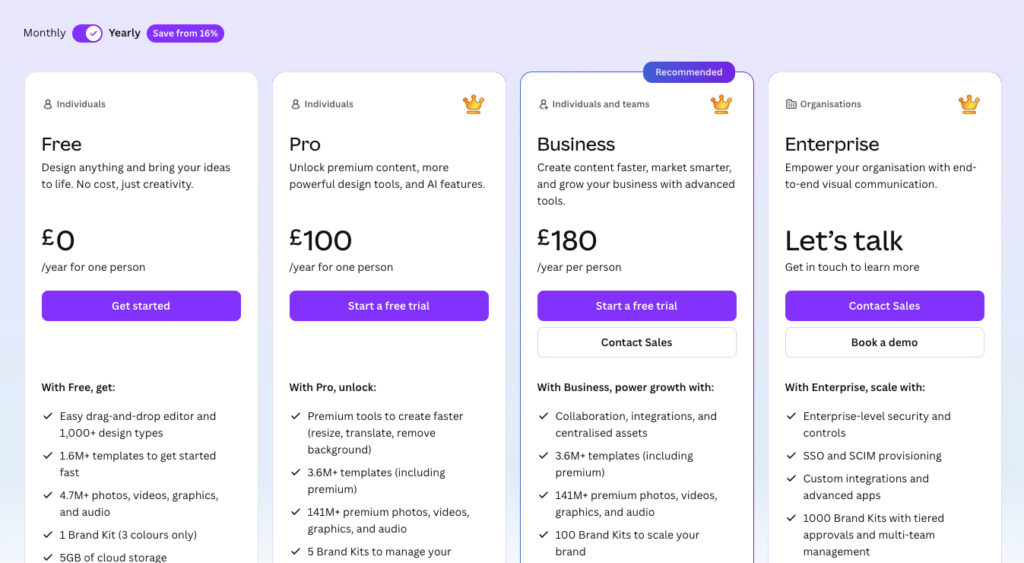
Free Templates
- Wide selection
- Great for beginners
- Limited premium elements
Paid Templates (Canva Pro)
- Access to premium designs
- Advanced features like brand kits and resizing
- More unique and less commonly used layouts
Final Thoughts
Canva templates have revolutionized the way people approach design. They remove barriers, save time, and empower anyone to create stunning visuals. Whether you’re building a brand, running a business, or simply sharing ideas, Canva templates are an essential tool in your digital toolkit.
If you’re not already using them, now is the perfect time to start. Your future designs – and your audience – will thank you.
For more information visit Canva.com.