A playground for motion graphics and animation When you first open After Effects, don’t expect a basic video editing tool. Instead, you’ll find a sandbox for motion graphics, animated titles, and visual effects. From animating text and graphics to compositing multiple layers of footage, After Effects makes it easy to create polished, professional animations and video content. Its intuitive timeline and keyframe system makes even complex animations approachable. Position, scale, rotation, and opacity can be animated in minutes, letting beginners and pros alike bring ideas to life quickly. Layered compositions for endless possibilities At the heart of After Effects are compositions, which act like flexible scenes where images, video, text, and graphics come together. Each layer can be independently animated, stylized, or manipulated. Using masks, transparency mattes, or built-in effects, you can achieve visuals that go far beyond simple motion. For more depth, media can be arranged in 3D space,… read more

Motion Graphics
Straightforward tutorials and inspiration for designing polished motion graphics and animated visuals.

After Effects templates are pre-designed, customizable project files (.aep) that allow users to create professional motion graphics by simply replacing placeholders with their own text or footage. Whether you are a YouTuber, a corporate video editor, or a freelance filmmaker, After Effects templates are the secret weapon used by pros to deliver high-quality results on a tight deadline. In this guide, we’ll break down exactly what these files are, the different formats you’ll encounter (like .aep, .aet, and .mogrt), and how to choose the right one for your 2026 workflow. If you’re curious about why After Effects is such a popular choice for motion graphics and video creators, check out our “Why Adobe After Effects?” guide. It dives into the software’s intuitive animation tools, 3D capabilities, and powerful effects—everything that makes creating with templates so much more versatile and fun. The Three File Formats You’ll Encounter In 2026, the term… read more
Welcome to this how-to guide on installing and editing Motion Graphics templates (MOGRTs) in Premiere Pro 2025 (or later). Feel free to watch the short explainer video below, or read the post for more detailed information. Updated for Premiere Pro 2025:This guide now reflects the new Graphics Templates panel, the relocation of MOGRT editing controls to the Properties panel, and updated notes on media replacement behaviour. Quick Links What are Motion Graphics Templates (MOGRTs)? Motion Graphics Templates, or MOGRTs, are installable project files that enable quick and easy, yet professional video and text effects. You can use MOGRTs to create instant video titles, lower thirds, transitions, and overlay VFX effects. What’s more, the beauty of Motion Graphics Templates is that you can create multiple style variations from a single file. What Software is Needed to Use MOGRT Files? MOGRT files are native to Adobe Premiere Pro, so a Creative Cloud… read more
We wish you a merry Christmas! Spread the holiday cheer with these 12 Christmas Video Templates for Social Media, perfect for creating festive, eye-catching content across all platforms. Whether you’re designing a Christmas party invite, promoting a holiday sale, or counting down to the big day with an advent calendar reveal, these editable Motion Graphics Templates for Premiere Pro have you covered. Featuring glittering animations, vibrant titles, and joyful overlays to help you craft the perfect holiday message, these animated designs are ideal for YouTube, Facebook, Instagram, and TikTok. Make it easy to wish your followers a Happy Holidays in style! These are all editable Motion Graphics Templates (MOGRTs) for Premiere Pro available to download from Adobe Stock. Parallax Christmas Greetings Transition Pack By Enchanted Studios View this template on Adobe Stock Storybook Opening and Closing Titles By Enchanted Studios View this template on Adobe Stock Advent Calendar Reveal Title… read more
Discover 10 free Christmas templates for Premiere Pro featuring festive animated titles, overlays, and effects to add a magical holiday touch to your video projects. Get your holiday videos ready with some festive cheer using these free Motion Graphics Templates for Premiere Pro! Whether you’re crafting a joyful greeting, putting together a festive vlog, or creating a cozy winter montage, these animated titles and overlays will bring the Christmas spirit to your projects. From sparkling snowflakes and twinkling lights to playful Santa animations and elegant holiday text, these templates offer a perfect mix of fun and sophistication. Best of all, they’re completely free, making it easy to add that magical holiday touch without breaking the bank. Let’s explore these joyful templates and make your seasonal content shine! These are all editable Motion Graphics Templates (MOGRTs) for Premiere Pro available to download from Adobe Stock. Holiday Flourish Title By Wavebreak Media… read more
Get ready! Here are 10 totally awesome retro 8-bit and 16-bit video game title and overlay templates, editable in Premiere Pro as Motion Graphics! If you’re a fan of retro computer and video games and want to add a nostalgic touch to your video projects, then it’s time to level-up! Whether you’re editing a YouTube video, creating a gaming montage, or producing any content that needs a retro flair, these 10 Awesome Retro Video Game Templates for Premiere Pro will bring old-school pixelated 8-bit and 16-bit vibes to your edits. Featuring classic video game aesthetics, vibrant overlays, and glitch effects, these templates are perfect for capturing the charm of vintage gaming. Let’s dive into some standout options that will make your projects feel like a blast from the past! These are all editable Motion Graphics Templates (MOGRTs) for Premiere Pro available to download from Adobe Stock. 8 Bit Video Game… read more
Our list of the best free templates for Premiere Pro from Adobe Stock. Featuring titles, logo reveals, slideshows and infographics these editable video templates will quickly raise your video production to the next level. Adobe Stock has thousands of professional quality templates for Premiere Pro, and many of these are free to download and use within your next video production. We’ve hand-picked our favorite editable templates for design and usability. Click on the titles or thumbnails below to view these free templates on Adobe Stock. 01 – Glowing Glitch Logo Title By Wavebreak Media An amazing template for technology, sci-fi and gaming intros. 02 – Pixel Flow Titles By Obispost A cool glitch effect for impactful digital titles. 03 – Travel Vlog Slideshow By Evan Abrams An elegant and stylish slideshow template featuring multiple media placeholders. 04 – Vertical Contact Sheet Title By Flux VFX A retro-feel promo template for… read more
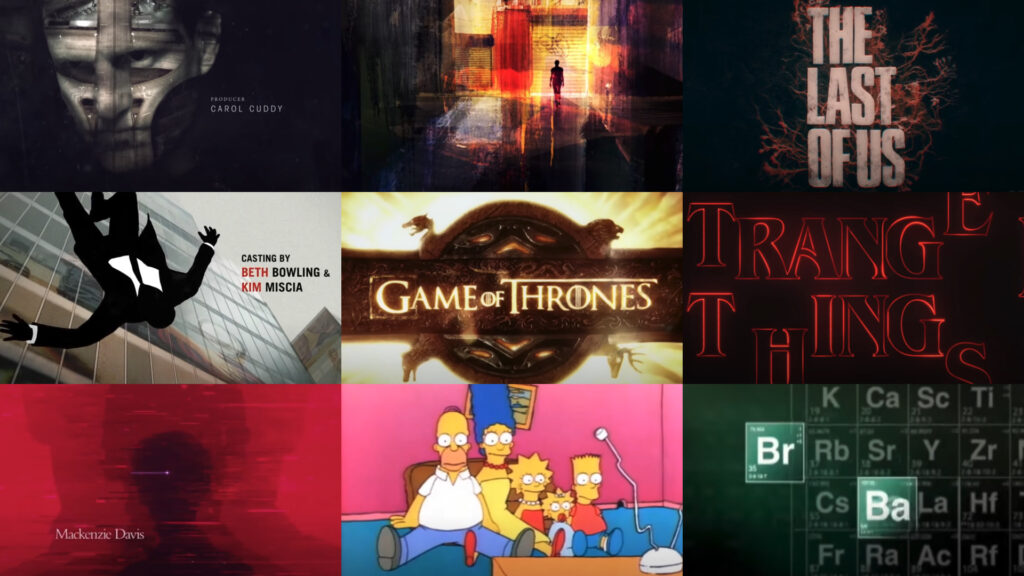
Title sequences in television have become more than just a way to introduce a show; they often serve as mini-masterpieces that encapsulate the tone, themes, and style of the series. With the rise of prestige television, title sequences have gained newfound importance, offering creators a chance to set the mood and immerse viewers into the show’s world before the first scene even begins. From animation to live-action, from minimalist designs to elaborate compositions, the best TV title sequences linger in the minds of viewers long after the credits roll. Over the decades, certain TV title sequences have become iconic, representing the shows they introduce as much as any character or plotline. These sequences not only capture the essence of the series but often become synonymous with the shows themselves. Whether through unforgettable music, striking visuals, or innovative design, the following title sequences have made a lasting impact on the television… read more
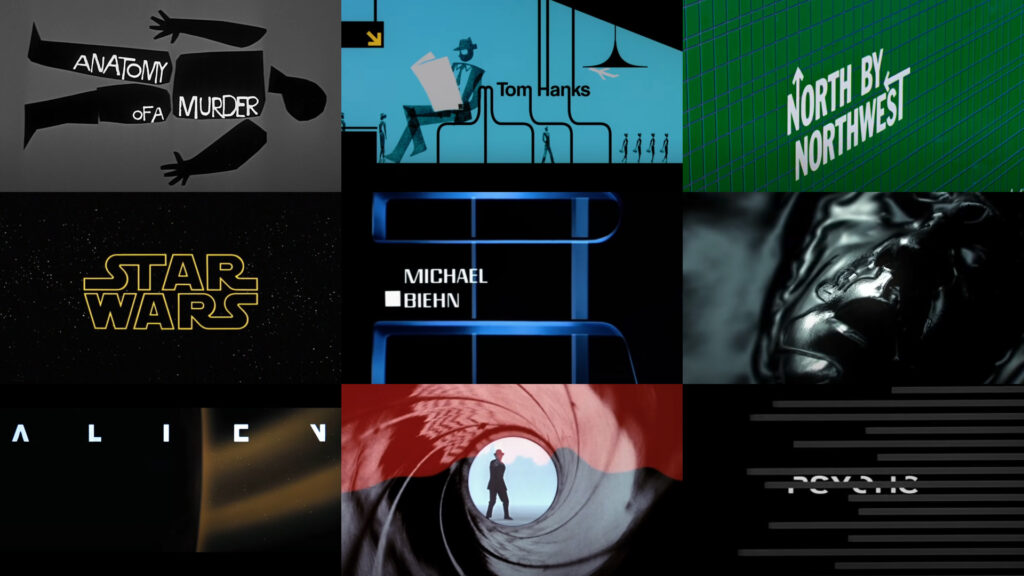
Movie title sequences have always played a crucial role in cinema, serving as the first point of contact between the film and its audience. These opening sequences are much more than just a list of credits; they set the tone, atmosphere, and expectations for the story to come. A well-crafted title sequence can immediately immerse viewers into the world of the film, offering a visual and auditory experience that encapsulates the essence of the movie. Over the years, certain title sequences have transcended their functional purpose, becoming iconic pieces of art that stand the test of time. From the early days of cinema to the modern era, these sequences have evolved in style and complexity, often pushing the boundaries of design and storytelling. Some are remembered for their groundbreaking techniques, while others remain in the cultural consciousness because of their striking visuals or unforgettable music. Whether through minimalism or intricate… read more
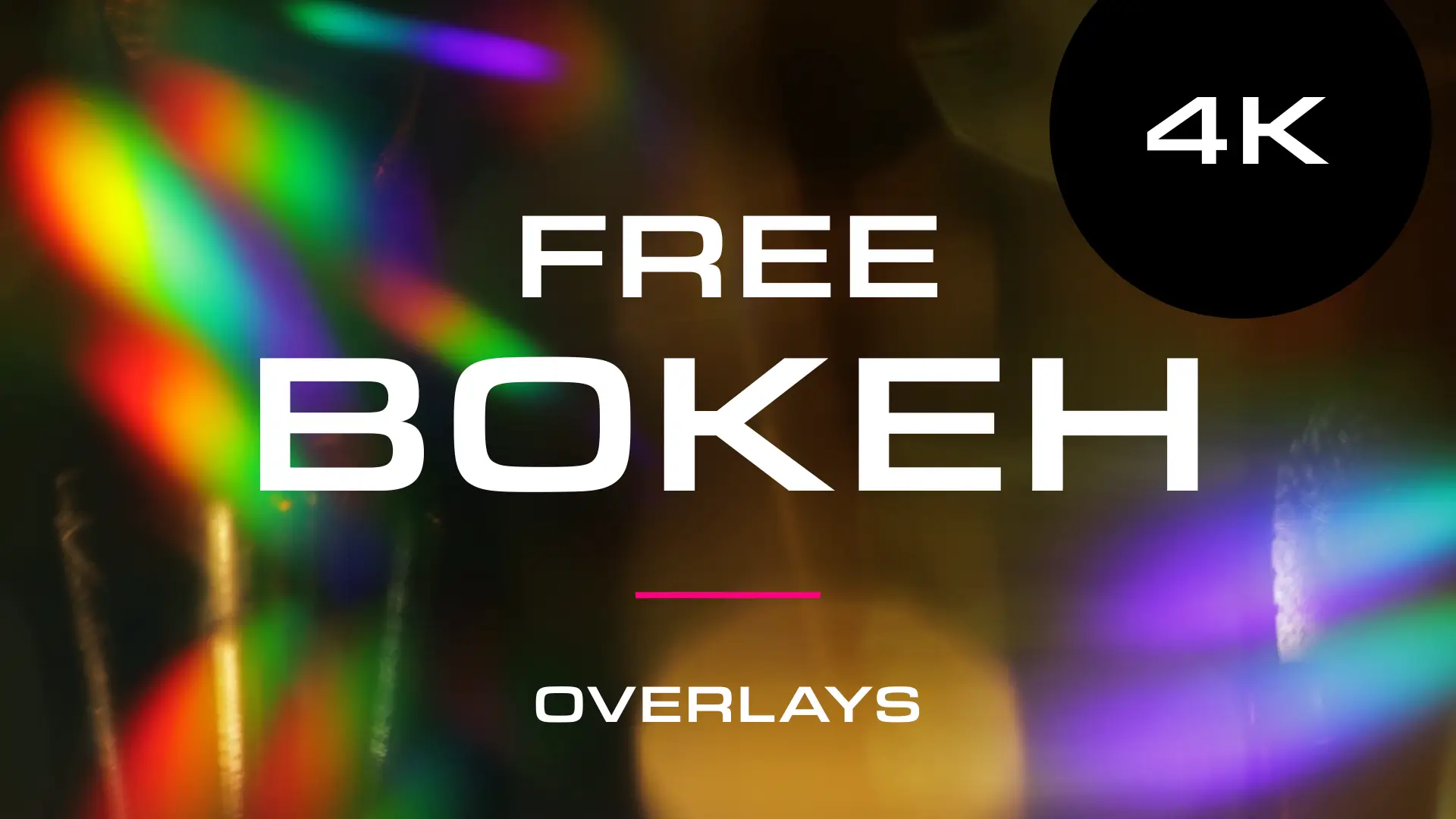
A selection of beautiful bokeh light leak overlays to download for free from Adobe Stock. Perfect for Christmas holiday videos and adding a touch of glamor to your productions. Available in up to 4K resolution. The bokeh light effect is a mesmerizing and aesthetically pleasing phenomenon in photography, characterized by the out-of-focus areas in an image. Derived from the Japanese word “boke,” meaning blur or haze, bokeh is achieved when a camera lens creates a soft, defocused background, turning distant lights into beautifully blurred, glowing orbs. These free bokeh video effects from Adobe Stock will work in all major video editing software including Premiere Pro, Final Cut, After Effects, and iMovie. Bokeh overlay free downloads Click on the images to download these free bokeh light leak video clips from Adobe Stock: How to use these overlays Whilst the clips won’t have transparency you can use blending modes to make sure they combine… read more
If you want to add digital glitch effects to your text or logo then After Effects is the perfect place to do it. As a video manipulation program, creating digital distortions comes easy, and there are plenty of different techniques to choose from – all using After Effects’ built-in effects. Quick Links: Tutorial Text | Instant Glitch Overlays | More Glitch Tutorials In this video tutorial Avnish Parker shows how to add the glitch effect using a displacement map. Full, step-by-step text instructions can also be found below the video. Step 1: Setting Up the Composition Step 2: Create the Background Step 3: Logo Animation Step 4: Creating a Glitch Effect Step 5: Adding Displacement Step 6: Create Multiple Glitches Step 7: Add an Old TV Effect Step 8: Create RGB Split Effect (Optional) Step 9: Add Secondary Text Step 10: Create a Vignette Your glitch logo animation is complete!… read more
In this After Effects tutorial, we create a responsive box behind text using just the text layer itself. No shape layers are needed. Perfect for quick and easy social media caption overlays. Step 1: Add a Fill effect Add a Generate > Fill effect and choose your box color. Step 2: Add a Shift Channels effect Add a Channel > Shift Channels effect. Change ‘Take Alpha From’ to ‘Full On’. Step 3: Add a CC RepeTile effect Add a Stylize > CC RepeTile effect. Change all values to 40. This is the padding of your box so feel free to increase these values. Step 4: Add a CC Composite effect Add a Channel > CC Composite effect. This will make your original text visible again. Step 5: Add 2 Simple Choker effects For rounded corners add two Matte > Simple Choker effects. Use values of 15, and negative 15. These… read more
Creating 3D Text in After Effects – No Plugins In this article we’ll look at creating 3D text inside After Effects using a variety of techniques and approaches. Text Guide | Video Tutorials | Editable Templates Creating extruded 3D text in After Effects involves using its built-in 3D capabilities and may require some knowledge of the software. Here’s a step-by-step guide to help you achieve this without the need for any third-party plugins. Step 1: Create a New Composition Open Adobe After Effects on your computer and create a new composition by clicking on Composition > New Composition. Under Basic, set your preferred composition settings, including resolution, duration, and frame rate. Before you close this dialogue box, under 3D Renderer, choose Cinema 4D. This will enable 3D extrusions and environments. Step 2: Create a 3D Text Layer Click on the “T” icon in the toolbar to create a text layer…. read more
A selection of free winter backgrounds and snow overlay videos from Adobe Stock, many available in 4K resolution. In the realm of digital content creation, the use of free snow videos can be a game-changer, adding a touch of wintry magic to your projects. Whether you’re a video editor, a website designer, or a social media influencer, these snow videos can serve a multitude of purposes, elevating the aesthetics of your work and capturing the enchanting beauty of winter. Click on the thumbnails to take you to the Adobe Stock website. Here are a few ways you can incorporate these free snow videos into your projects: These free snow videos offer an array of creative possibilities, enabling you to infuse your projects with the charm and tranquility of a snowy winter’s day. With their versatility, they’re a valuable resource for any content creator looking to capture the essence of the… read more
Grab These Awesome Free MOGRT Templates A selection of 15 FREE motion graphics templates (MOGRTs) for Premiere Pro. All available to download from Adobe Stock. These are editable video projects so you can change text, colors and styles easily. Motion Graphics Templates (MOGRTs) are installable files for Premiere Pro which enable professional animated text and video effects from a simple-to-use edit panel. Read more about how to use MOGRTs for Premiere Pro in our blog post How to Use Motion Graphics Templates. The following free Motion Graphics Templates are from the Adobe Stock library and have been thoroughly reviewed for usability and performance, by the Adobe Stock Motion team. Need Adobe Premiere? You can download a free trial version of Adobe Premiere Pro using the button below. 1. Clean Corporate Media Title The perfect template for business video presentations featuring three corporate styles, media replacement and custom fonts. 2. Crystal… read more
Need some awesome animated loop backgrounds to use in your next corporate PowerPoint presentation? Here’s 25 of our finest loopable animations, all HD definition and totally free to use. These are perfect for adding instant color and motion to title and logo slides. They’re also ideal for powerful quotation slides – when you really need your message to stand out. TIP: As loop ready video files you’ll need to know how to set up video looping in PowerPoint. Luckily we have a blog post which takes you through this process here. Visual stimulation greatly emphasizes your messages, and it keeps viewers engaged. You may also want to use Flaticon’s logo in your slides as a way of adding personality or branding to the slide show. This will help you stand out from other presentations, and can be a great way to make your content more memorable. Well, onto the freebies!… read more
More Posts
- PowerPoint Transitions: Every Effect Explained
- Canva Templates: The Ultimate Guide to Designing Faster and Smarter
- The 5 Best CapCut Alternatives in 2026
- Why Choose Adobe After Effects?
- The Ultimate Guide to Faceless YouTube Channels in 2026
Adobe Stock Search
Please use the search form below to find footage and video templates directly from Adobe Stock.
Great Value Packs

Sponsored Resources