Particle Reveal Titles – Free Motion Graphics Template
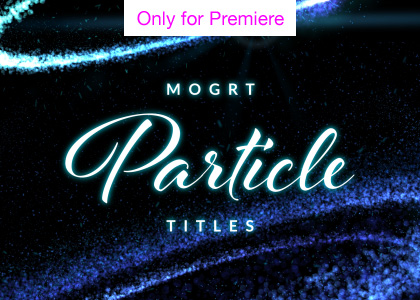
Free Sparkling particle title animations in Premiere Pro
Beautifully revealed titles using glittering particle elements.
Perfect for your festive Christmas and messages or elegant title sequences. The template contains 3 background styles, plus sliders for text scale and position. There are also controllers for color adjustment.
Features
• Custom color options
• Simple text adjustment
• Fast render
• 1920 x 1080 px
• Optimized for Premiere
Premiere Pro Templates
This is a Motion Graphics Template for use in Adobe Premiere Pro CC 2017 or later. Motion Graphics Templates allow complex animations, which have been created in After Effects, to be edited directly within Premiere Pro, with just a few simplified controls.
For more information about Motion Graphics Templates, watch our Video Guide and read our comprehensive walkthrough on how to install and edit templates in the current version of Premiere Pro.
Font Use
This MOGRT template requires Adobe Typekit fonts to be installed.
Motion Graphics Templates do not currently allow users to change fonts.
This template uses fonts available only from Adobe Typekit, part of your Creative Cloud subscription, which should be Synced to your system when requested by Premiere Pro.
Please contact us if you wish to purchase a customized template file, with alternative fonts.
Software Requirements
This project requires Adobe Premiere Pro CC 2017 (and later) to edit.
Try Premiere Pro for free!Terms of Use
We only ask that you credit the Enchanted Media website and do not provide the file for download anywhere else. Our files are copyright free for broadcast, motion picture and for online commercial use – such as monetized YouTube channels.
Get this template
Please use the button below to download this MOGRT via Gumroad.
Want more free MOGRTs?
For more free templates for Premiere Pro check out the following resources:
Installing Motion Graphics Templates (Premiere Pro 2025)
To install a MOGRT file into Premiere Pro, please use the following updated instructions:1. Extract the Zip file to reveal the .mogrt file.
2. Open Premiere Pro and go to Window > Graphics Templates. Click the Install Motion Graphics Template icon (the small square with a plus sign) located at the top right of the panel. (Note: In versions prior to 2025, this was the Essential Graphics panel).
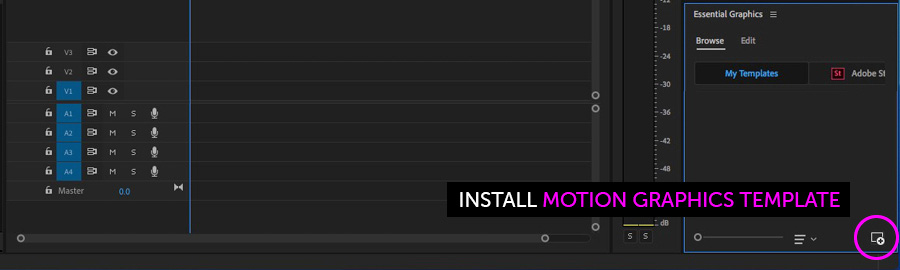
3. Locate the .mogrt file on your drive and choose Open.
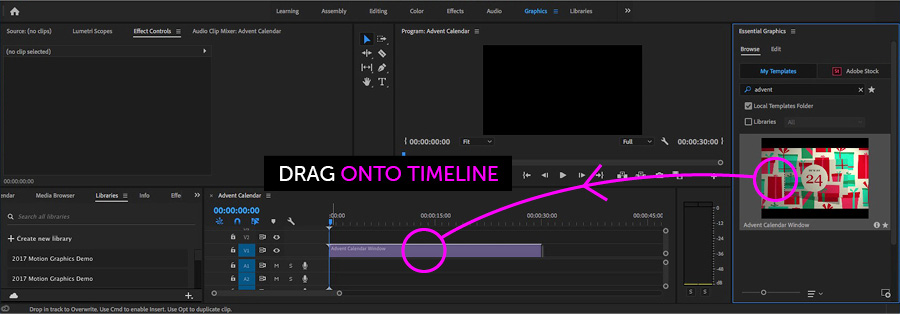
Once installed, drag the template from the Graphics Templates panel onto your timeline to create an instance.
When an instance is selected on your Timeline, use the new Properties panel (previously the Edit tab) to adjust text, colors, and media replacement settings.
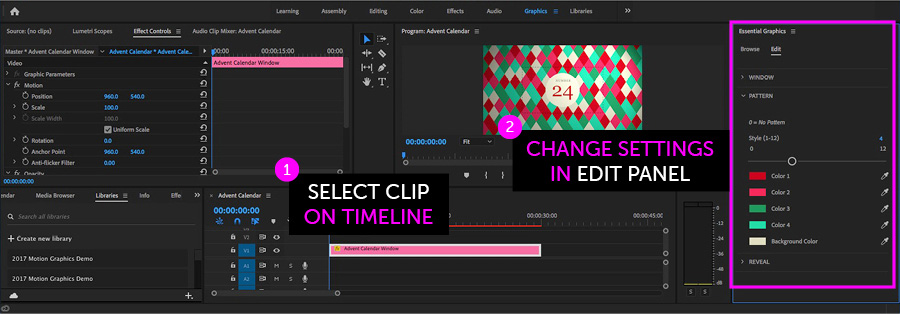
Need more help? Watch our full Video Guide on Using MOGRTs in Premiere Pro 2025.
Adobe Stock Search
Please use the search form below to find footage and video templates directly from Adobe Stock.
Great Value Packs

Popular Products
Sponsored Resources