Global News Broadcast Overlay Pack for Premiere Pro
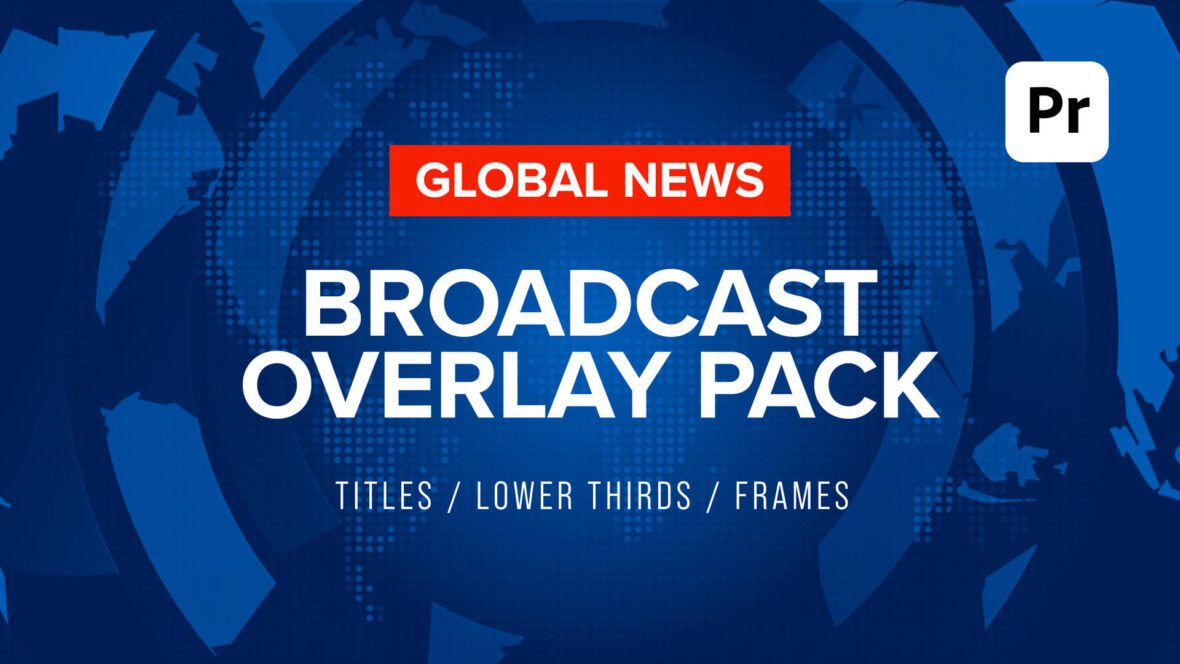
Global News Broadcast Overlay Pack
Give your videos the look and urgency of a professional breaking-news broadcast with the Global News Broadcast Overlay Pack — a collection of 10 animated news-style overlay templates for Adobe Premiere Pro.
Designed around a modern global news aesthetic, this pack includes animated banners, lower thirds, live-feed frames, headline graphics, full-screen titles and name straps, all featuring an animated world-map visual language and editable broadcast-style elements.
Every template is supplied as a MOGRT (Motion Graphics Template), allowing you to customise the graphics directly inside Premiere Pro without needing to open After Effects.
Fully Editable MOGRT Templates
Make each graphic fit your project with easily adjustable:
- Fonts
- Colours
- Text
- Sizes
- Positions
- Logo placeholders
- Headline and sub-story content
- Graphic dividers and layout elements
The templates also include Media Replacement placeholders on selected designs, making it easy to drop in your own logo or branding directly from within Premiere Pro.
5 Broadcast Layouts in HD
The pack includes the following five professionally designed HD templates, each supplied in a standard 1920 x 1080 format:
Global News Banner Title
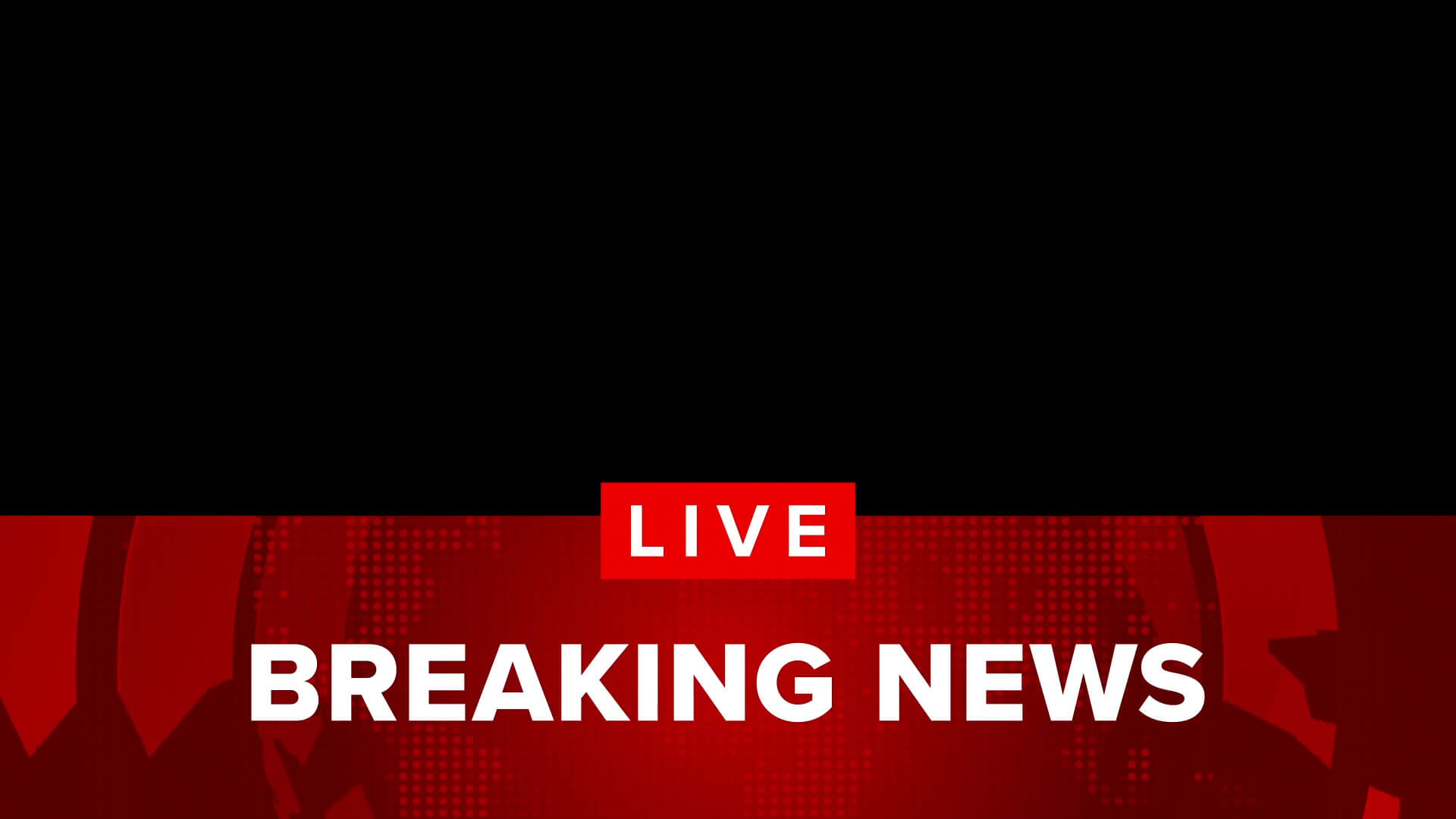
A versatile half-screen news banner designed for introducing stories, segments and important announcements. The animation features a smooth entrance and exit, making it easy to drop into your timeline as a dynamic headline or story introduction.
Ideal for headlines, breaking-news announcements, story introductions and branded editorial-style video content.
Global News Full Screen Title

A bold, full-screen animated title designed to make an immediate impact. Use it as a breaking-news bumper, story transition, programme-style opener or full-screen branding graphic.
The combination of large-scale typography, animated news elements and the global map background creates a strong editorial broadcast feel without requiring complicated compositing.
Global News Headline Lower Third
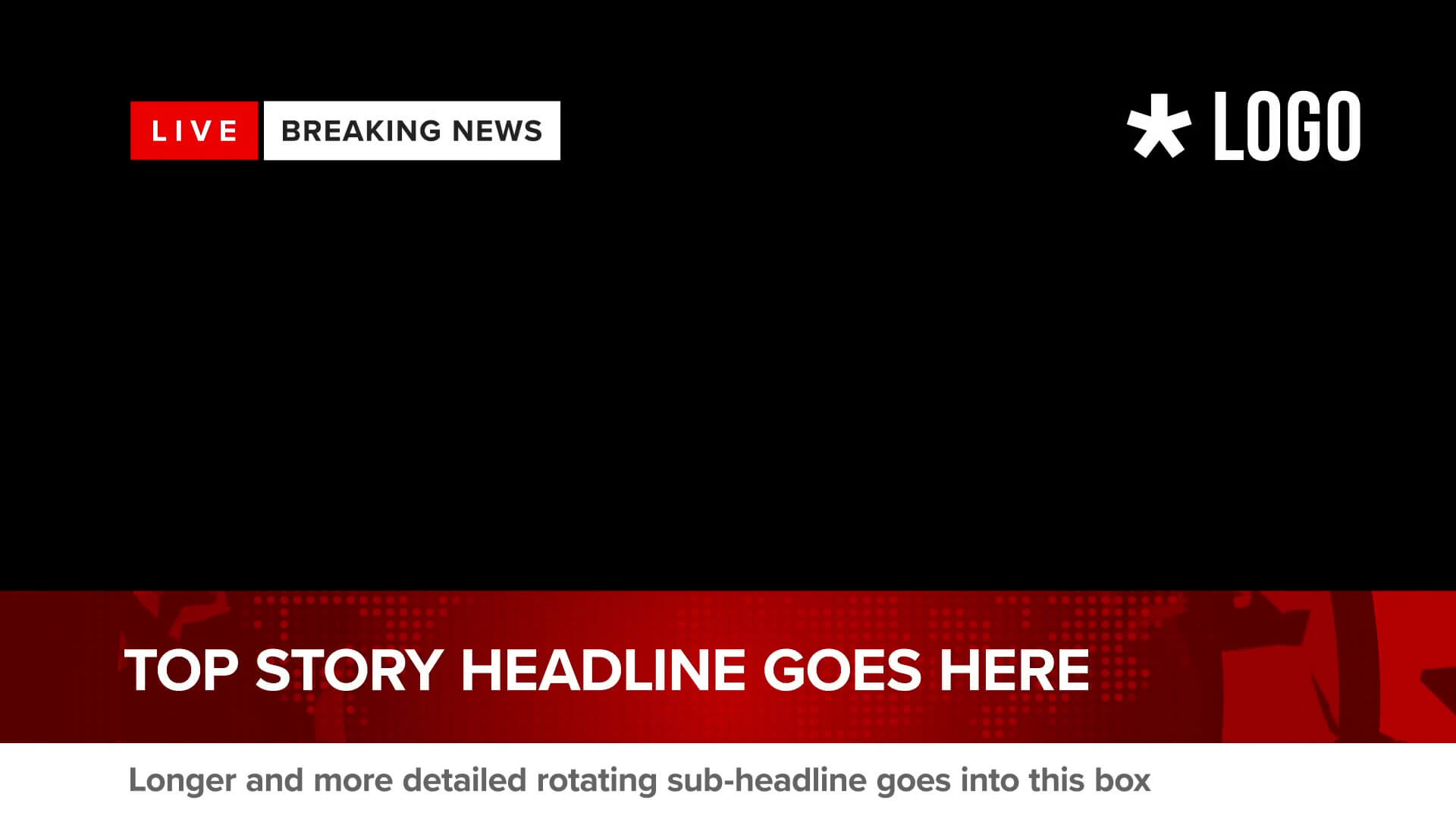
A feature-rich lower third designed for news-style headlines and ongoing story coverage. The template includes a main headline area alongside a rotating sub-story placeholder.
This makes it particularly useful for looping sequences: the main headline and supporting graphics can remain on screen while the sub-story title automatically changes at regular intervals. Use it to present multiple developing stories, related headlines or changing information without having to rebuild the entire graphic.
Global News Live Feed Frame Loop
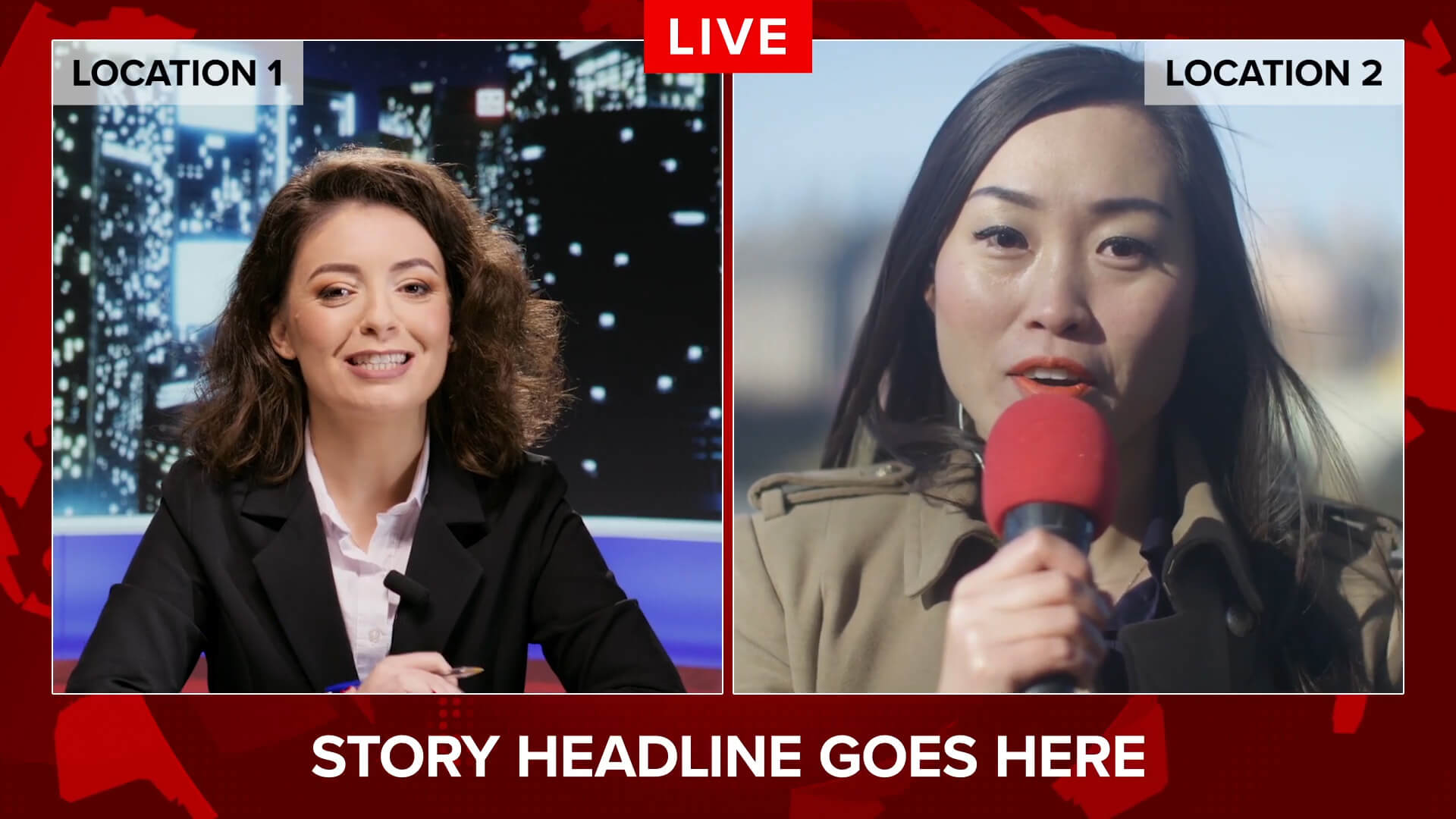
Create the appearance of a live broadcast or multi-source news feed with this loop-ready animated frame. The design provides dedicated space for a headline alongside your video footage, with an adjustable divider allowing you to create flexible two-box feed layouts.
Ideal for interviews, remote guests, video calls, simulated live reports, reaction videos, commentary and social-media content requiring a live-news presentation style.
Global News Name Strap Lower Third
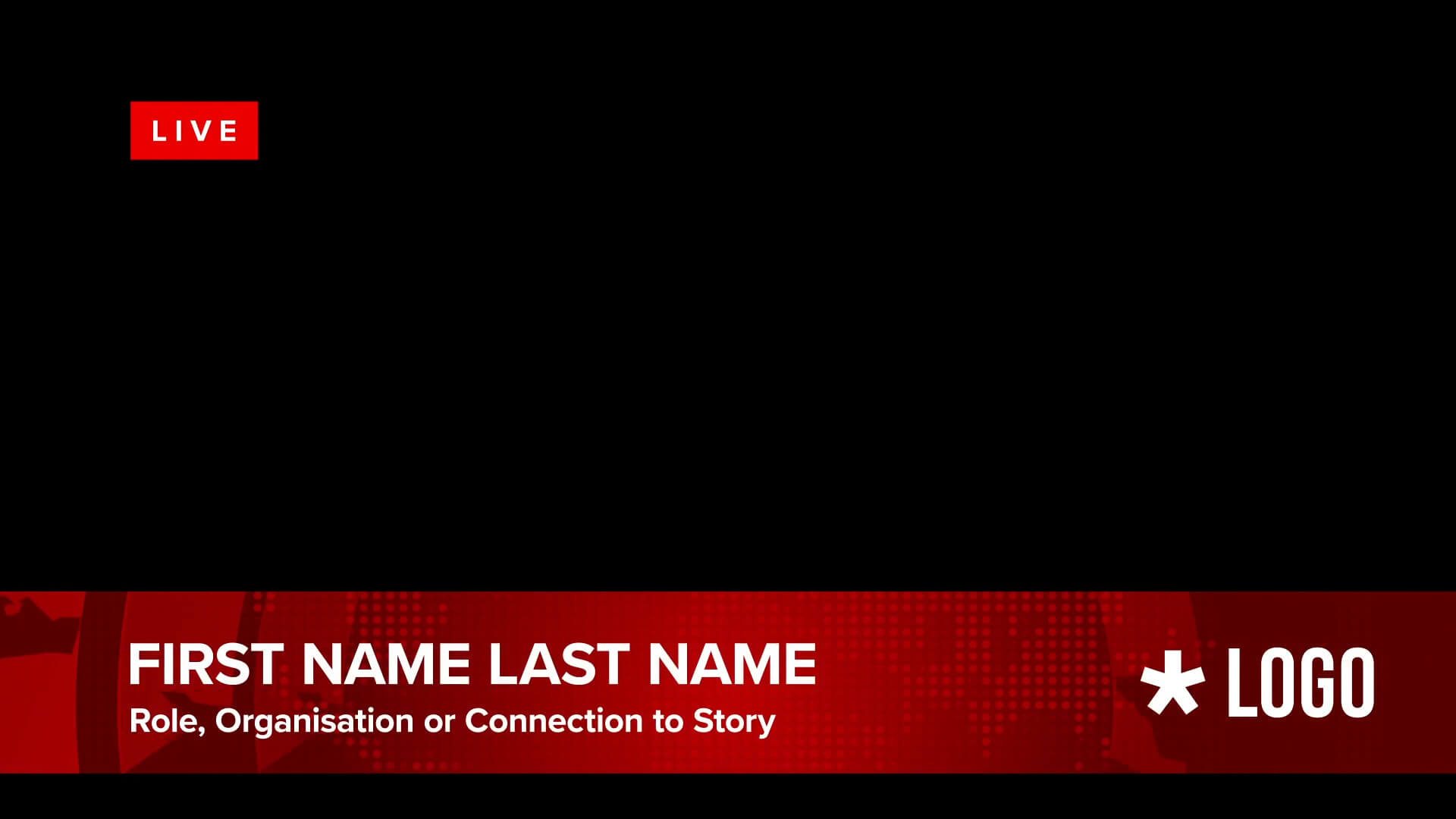
A clean broadcast-style identification graphic for introducing presenters, guests, interviewees and contributors.
Display a person’s Name alongside their Job Title, Role or Story Connection, giving interviews and presenter-led videos an authentic newsroom aesthetic. The editable design can also be adapted for company representatives, speakers, commentators and other on-screen contributors.
Every Layout Includes a Vertical Version
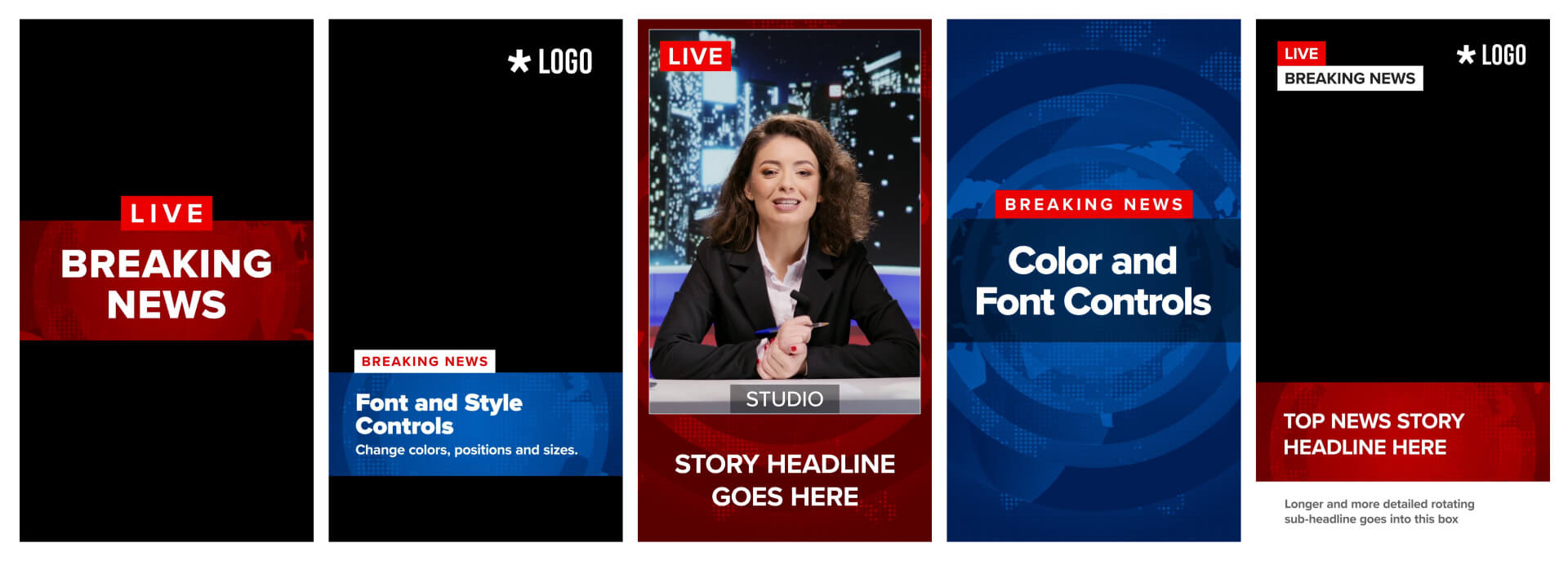
Each of the five designs also includes a dedicated 1080 x 1920 vertical version for social-media content.
These aren’t simply the HD templates resized and cropped. Each vertical version has been carefully redesigned for portrait video, with typography, spacing, positioning and graphic elements arranged specifically for the vertical format.
This makes the pack suitable for creating news-style content for platforms and channels that favour portrait video, while retaining the visual character and functionality of the original broadcast designs.
5 horizontal templates + 5 purpose-built vertical templates = 10 MOGRT templates in total.
Made for News, Business & Social Media
Although inspired by professional news broadcasting, these templates are designed for a wide range of video projects. Use them for online news content, social-media videos, promotional campaigns, corporate announcements, product launches, event coverage, video essays, commentary, reaction videos and more.
The HD templates are ideal for widescreen video, while the dedicated 1080 x 1920 versions are specifically designed for portrait content. With editable text, colours, fonts, positions and selected Media Replacement logo placeholders, you can quickly adapt the graphics to your own branding and content.
Whether you want a polished editorial aesthetic or a fun, dramatic “breaking news” style, the Global News Broadcast Overlay Pack gives you a versatile set of ready-to-use graphics for Adobe Premiere Pro.
Key Features
- 10 editable MOGRT templates for Adobe Premiere Pro
- 5 horizontal HD 1920 x 1080 templates
- 5 dedicated 1080 x 1920 vertical versions
- Editable fonts, colours, text, sizes and positions
- Media Replacement logo placeholders on selected templates
- Ideal for news, business, promotional, social-media and content creator videos
Software Requirements
These are Motion Graphics Templates (MOGRT) for use in Adobe Premiere Pro CC.
For more information about Motion Graphics Templates, watch our Video Guide and read our comprehensive walkthrough on how to install and edit templates in the current version of Premiere Pro.
Try Premiere Pro for free!Buy This Pack – $15
Purchase this template pack directly via Gumroad.
More Templates for Premiere Pro
If we don't have the exact project you're looking for try SonduckFilm, who have some incredible template bundles for After Effects and Premiere Pro, or Adobe Stock, which holds a huge library of template style and themes.Need Stock Footage?
Adobe Stock is also our recommended library for high quality stock footage, animated backgrounds and video overlays. Use the following link and you can get your first month absolutely free!Try Adobe Stock for free!
Installing Motion Graphics Templates (Premiere Pro 2025)
To install a MOGRT file into Premiere Pro, please use the following updated instructions:1. Extract the Zip file to reveal the .mogrt file.
2. Open Premiere Pro and go to Window > Graphics Templates. Click the Install Motion Graphics Template icon (square with a plus sign) at the top right of the panel. (Note: In older versions, this was the Essential Graphics panel).
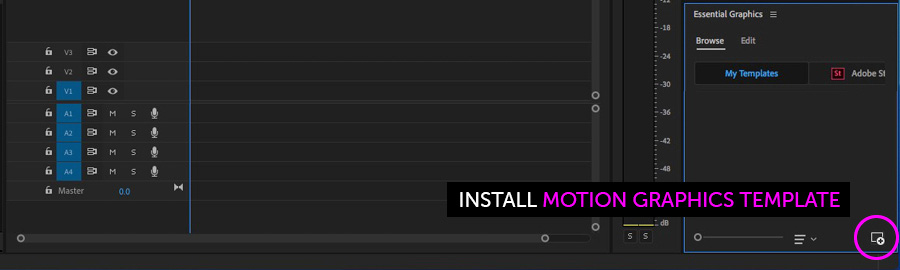
3. Locate the .mogrt file and choose Open.
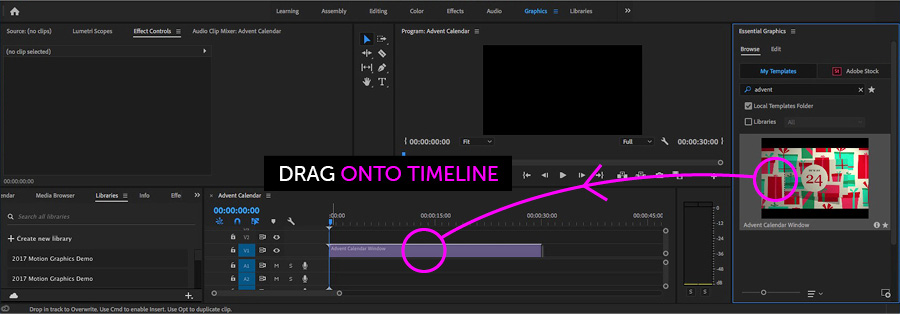
Once installed, drag the template from the Graphics Templates panel to your timeline to create an instance.
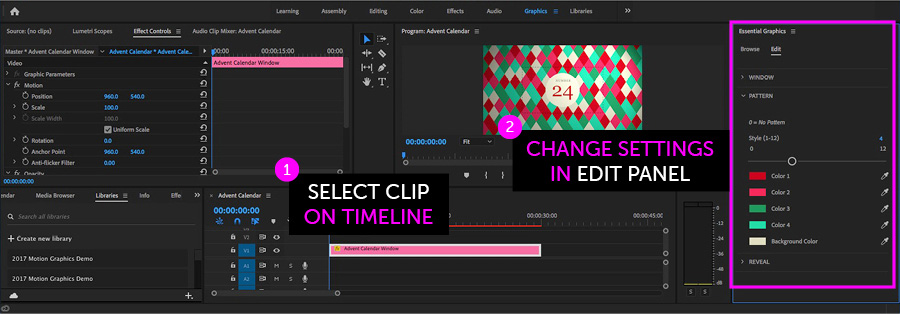
When a MOGRT is selected on your Timeline, use the new Properties panel (previously the Edit tab) to adjust settings.
Looking for a video walkthrough? Check out our Full Guide to using MOGRTs in Premiere Pro 2025.
Adobe Stock Search
Please use the search form below to find footage and video templates directly from Adobe Stock.
Great Value Packs

Popular Products
Sponsored Resources