Clean Corporate Logo Reveal Pack for Premiere Pro
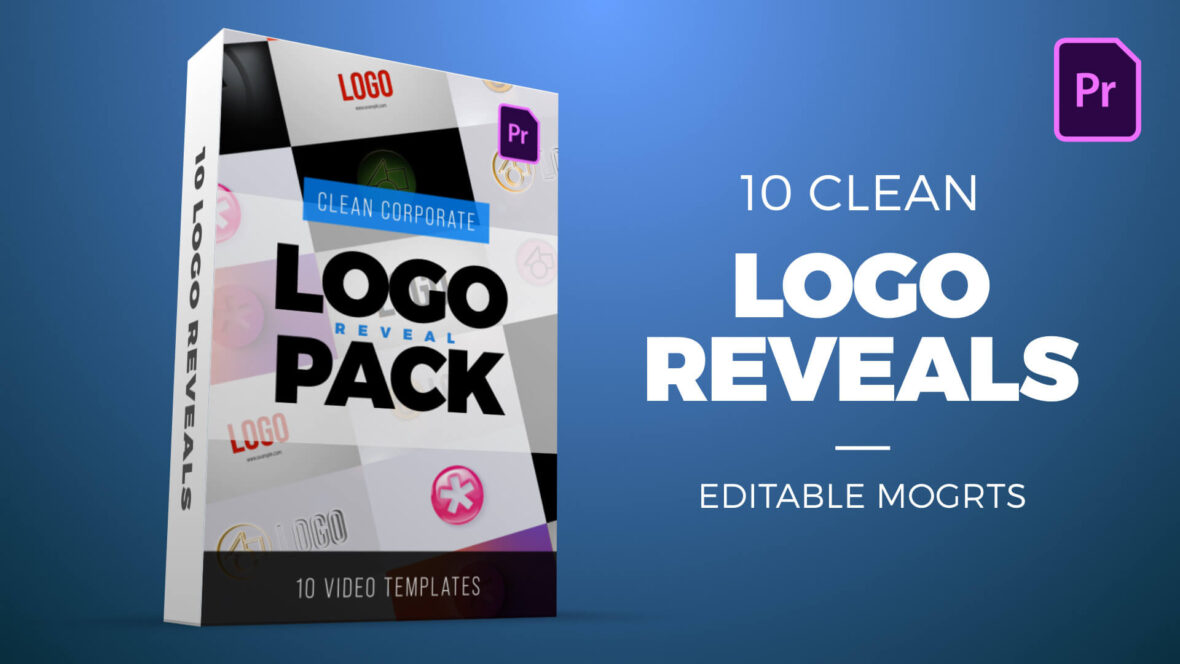
Clean Corporate Logo Reveal Pack for Premiere Pro
Elevate your brand identity with this professional collection of 10 sleek and modern logo reveal templates. These are MOGRT files in HD 1080p resolution.
Perfect for corporate videos, presentations, promos, and YouTube intros, this pack includes a variety of clean and dynamic styles: glowing silhouettes, 3D embossed spins, metal decal badges, twisting split effects, lens flares, long shadows, gradient soft shadows, glossy 3D reveals, and multicolor echo zoom animations.
This pack includes the following MOGRT templates:
- Clean Long Shadow Logo Reveal
- Multicolor Echo Zoom Logo Reveal
- Clean 3D Echo Line Spinning Logo Reveal
- Gradient Soft Shadow Logo Reveal
- Minimal Glossy 3D Logo Reveal
- Clean 3D Twisting Split Logo Reveal
- Clean Lens Flare Line Logo Reveal
- Clean 3D Metal Decal Badge Logo Reveal
- Backlit Glow Silhouette Logo Reveal
- Clean 3D Embossed Spinning Logo Reveal
Each file is fully customizable in Adobe Premiere Pro, allowing you to quickly add your logo, adjust colors, and create a polished intro that makes your brand stand out.
Software Requirements
These are Motion Graphics Templates for use in Adobe Premiere Pro. For more information about Motion Graphics Templates (MOGRTs) read our blog post and watch our explainer video.
Try Premiere Pro for free!For installation notes see below. Please use one of our FREE MOGRT files to test installation.
Purchase this Pack – $20
Payment for this product is handled via the Gumroad marketplace.
Please use the button below to begin.
Installing Motion Graphics Templates (Premiere Pro 2025)
To install a MOGRT file into Premiere Pro, please use the following updated instructions:1. Extract the Zip file to reveal the .mogrt file.
2. Open Premiere Pro and go to Window > Graphics Templates. Click the Install Motion Graphics Template icon (the small square with a plus sign) located at the top right of the panel. (Note: In versions prior to 2025, this was the Essential Graphics panel).
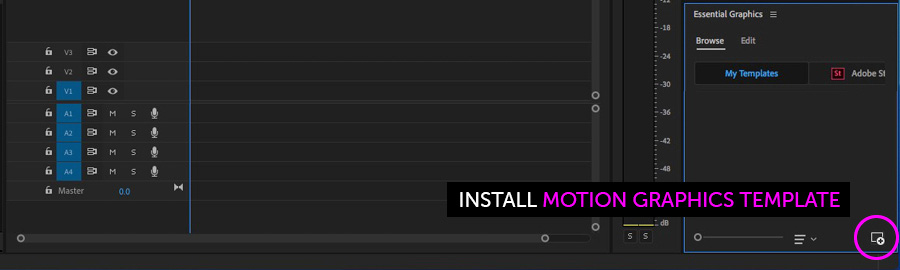
3. Locate the .mogrt file on your drive and choose Open.
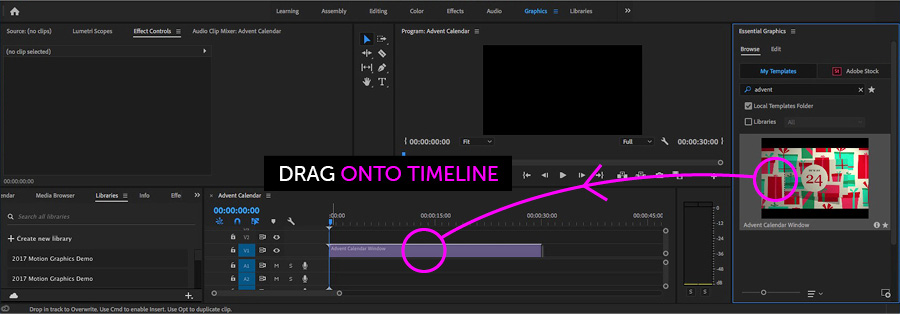
Once installed, drag the template from the Graphics Templates panel onto your timeline to create an instance.
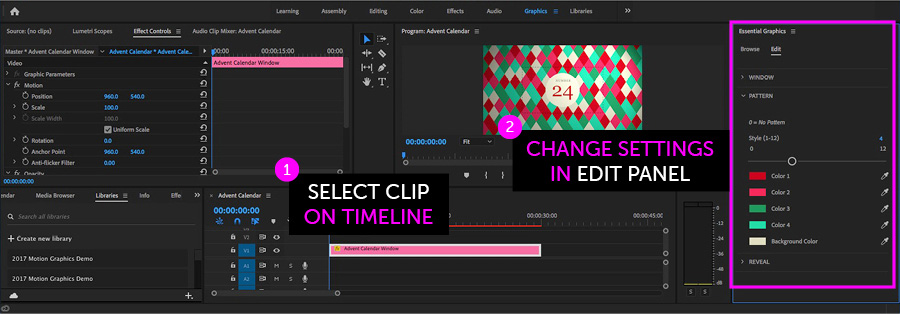
When an instance is selected on your Timeline, use the new Properties panel (previously the Edit tab) to adjust text, colors, and media replacement settings.
Need more help? Watch our full Video Guide on Using MOGRTs in Premiere Pro 2025.
Adobe Stock Search
Please use the search form below to find footage and video templates directly from Adobe Stock.
Great Value Packs

Popular Products
Sponsored Resources